All About Drones
Quadcopter drones are becoming more affordable and higher in performance.
Even little $20 toy drones can be packed with powerful electronic controls.
For the best technology and best video performance, go to BestBuy and consider the Phantom Pro or Mavic Pro,
but be prepared to spend over $1000.
Hobby shops have moderately priced drones with reasonably good technology for $100 to $500.
Walmart and Target have relatively cheap drones with modest technology for $20 to $200.
Go to www.Hobbyking.com to see the latest technologies with modest prices.
For the best deals and latest technology, go to Chinese web sites like www.AliExpress.com and www.Banggood.com.
The Chinese drones vary in price from $5 to $1000.
There are many $30 to $200 Chinese drones that copy the style of the Phantom Pro and Mavic Pro.
Note that the Chinese web sites have prices that are constantly changing up and down. Look for sales.
Also note that drones purchased from China have instruction manuals that are poorly translated and impossible to understand.
Got to www.youtube.com to get instructions and reviews for Chinese drones.
If you buy a drone that weighs over 0.5 pounds, you should register it at www.drone-registration.net for $5.00.
Features to look for in a drone:
You will see that all drones now have "6-axis gyros" for full stability.
Look for drones with a feature called "Headless Mode" that make the drone easier for the beginner to fly.
When the drone is in "Headless Mode", it will always move in the direction that the joystick is pushed rather
than move relative to the direction that it is pointing. It is often hard to see which way the drone is pointing.
When not in "Headless Mode", the drone is in "Normal Mode".
When flying in "Normal Mode" keep the drone moving continuosly forward as if flying a remote control plane;
that way you can see which way the drone is pointing and turning with the yaw control is much more intuitive.
Always use "Normal Mode" when flying with FPV goggles.
Also look for an "Altitude Hold" feature. These drones are easier to fly because the drone maintains a constant altitude.
Check the "Range" specification on the transmitter to verify that it is adequate for the planned use.
Check the "Flight Time" specification to verify that is is adequate for your intended flying time.
Consider purchasing extra batteries if the flight time is shorter than desired.
Consider a drone with a WiFi camera. This is an inexpensive way to experiment with First-Person-Video (FPV).
With FPV, the drone sends video to your smart phone and the phone can be mounted on the transmitter.
WiFi video is limited in range and often not high in quality, but is still fun to watch.
Purchase Virtual Reality Goggles for the smart phone and try flying the drone with the goggles; more fun.
Consider buying a drone with GPS. This feature makes it easier to fly because the drone will hold its position.
![[ ]](dot.gif) Here's a web site that gives advice on how to buy a drone.
Here's a web site that gives advice on how to buy a drone.
Great Affordable Drones:
I purchased the Promark P70 Virtual Reality Drone at Walmart 3 years ago for $125.
This drone was modeled after the Phantom Pro but lacked the high-performance gimbaled camera.
Instead this drone had a cheap WiFi camera and goggles for the FPV Virtual-Reality experience.
I thought that the goggles would make it feel like I was inside the drone, but it did not.
The video had a slight delay and there was no depth perception, so I found it difficult to fly with the goggles.
I replaced the WiFi camera with a non-transmitting Mobius camera for $70.
The Mobius camera is similar in performance to a Go-Pro camera but much less expensive.
With this setup I could take reasonably good photos and videos from the air.
Video of my Promark drone at my daughter's house July 8, 2017.
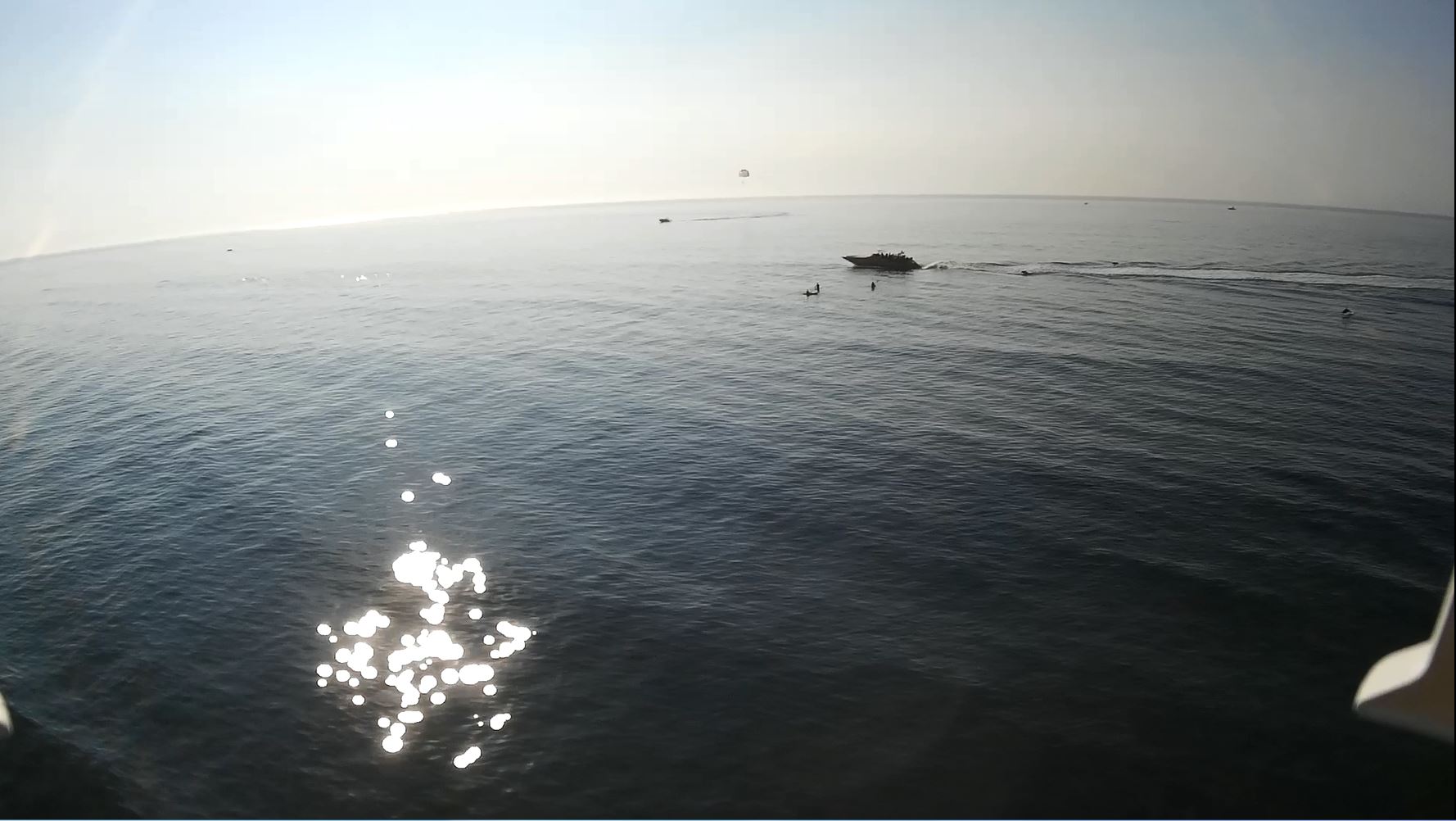
This is a photo taken from the Promark drone with Mobius camera at Wildwood Crest New Jersey (8-10-18).
Kayakers and the "Thundercat" Dolphin-Watch Boat can be seen in this photo.
Dolphins can be seen jumping in the wake of the Thundercat.
I wanted to get closer, but the drone was 1000 feet out over the water and in danger of going out of range.
Video of Dolphins, kayakers and the Thundercat as seen from Ed's Promark P70 Drone (8-10-18).
This is the Promark P70 drone (19 x 19 inch) that took the photo & videos above with a Mobius camera.
It's got Gyros, Headless Mode, Altitude Hold and it can handle moderate winds.
This one is good for aerial photography because it can lift a heavier quality camera.
This drone weighs over 0.55 pounds, so it requires an FAA registration.
Go to this link to obtain an FAA registration for drones.
The P70 drone that I bought didn't have GPS. I bought it at Walmart.
This is a medium-sized (11 x 11 inch) beginner drone that is easy to fly.
It's got Gyros, Headless Mode, Altitude Hold and it can handle gentle winds.
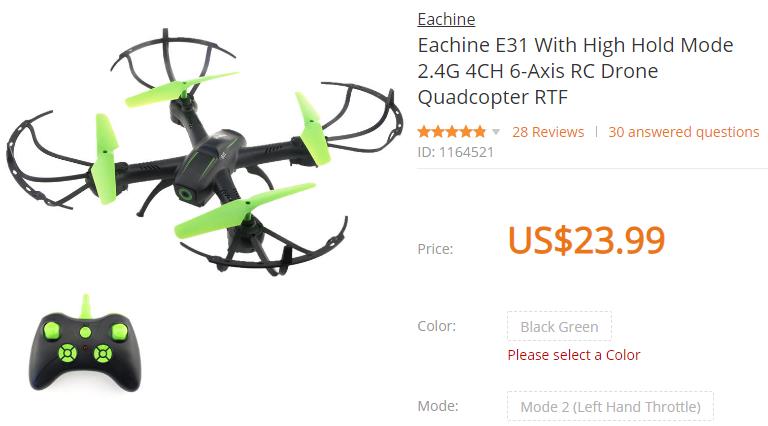
I bought this E31 drone at www.banggood.com for $23.99.
There is a model E31HW that includes a WiFi camera for about $36.99.
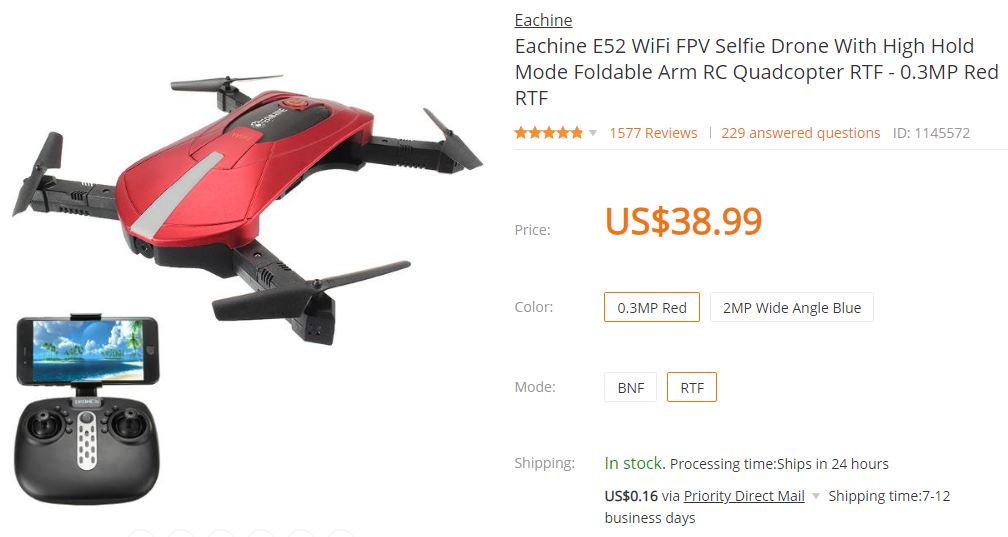
This is the Eachine E52 WiFi Pocket Drone (a mid-sized drone).
This drone sends live video to your smart phone.
Buy virtual reality goggles for your smart phone for a true FPV (First-Person-Video) experience.
This drone is available with a 0.3MP camera (640x480 pixels) or a higher resolution 2MP camera.
It has altitude hold and headless mode.
This drone can be flown without the transmitter using the smart phone app.
The instructions supplied with the E52 are translated from Chinese and are incomprehensible, so use these operator instructions instead.
WiFi instructions for the E52 drone.
Click here for a promotional YouTube video of the Eachine E52 Pocket Drone.
Click here for another promotional YouTube video of the Eachine E52 Pocket Drone.
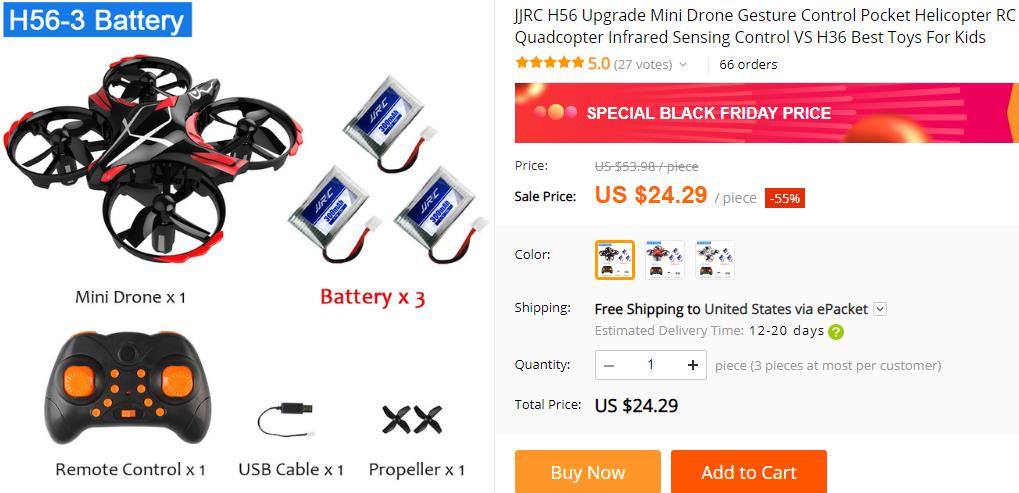
This is the JJRC H56 TaiChi mini drone.
This one is great for flying indoors because it moves slowly with great precision.
It has altitude hold and headless mode so it's easy to fly.
It also has infra-red sensors that prevent collisions with walls and other objects.
The infra-red sensors also respond to hand gestures.
The instructions supplied with this drone are translated from Chinese and are incomprehensible, so use these operator instructions instead.
Click here for a promotional YouTube video of the JJRC H56 TaiChi mini drone.
Click here for another promotional YouTube video of the JJRC H56 TaiChi mini drone.
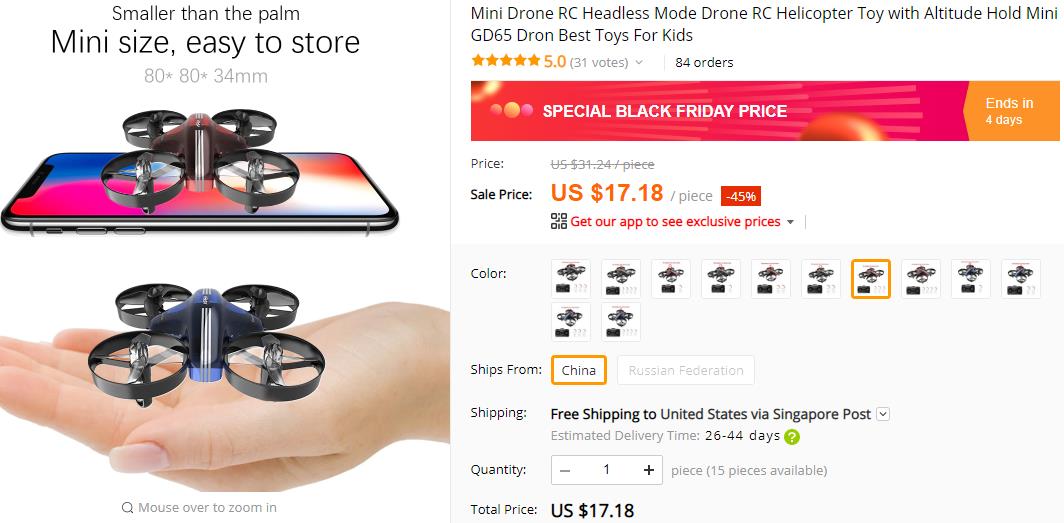
This is the Apex AT66 mini drone.
This drone moves faster than the H56 drone above, so it's better for outdoors than indoors.
It has altitude hold and headless mode so it's easy to fly.
This drone does not have infra-red sensors to prevent collisions with walls and other objects.
Buy the version that has 2 or 3 extra batteries for extended flight time.
This is the Bayangtoys X16 GPS drone.
This one is good for aerial photography because it can lift a heavier quality camera.
It has altitude hold and headless mode.
It also has GPS for fully automated control. This makes it easier to take photos and videos.
This drone is big and heavy so it requires an FAA registration.
Go to this link to obtain an FAA registration for drones.
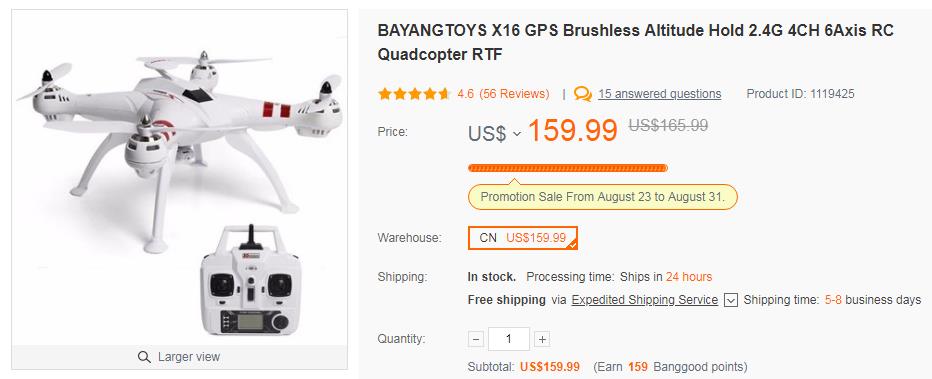
The instructions supplied with this drone are translated from Chinese and are incomprehensible, so use these operator instructions instead.
Click here for a promotional YouTube video of the Bayangtoys X16 GPS drone.
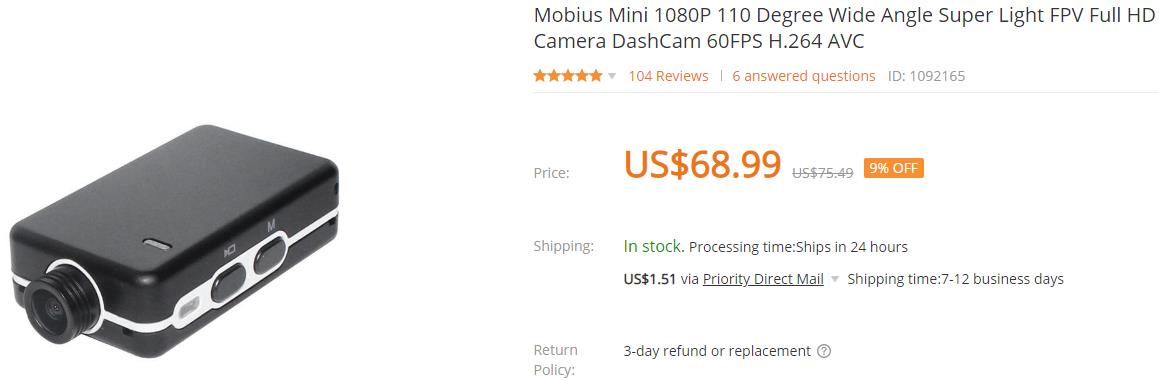
The "Mobius" brand camera is an excellent choice for HD aerial photography.
This camera is comparable in quality to a Go-Pro camera but much less expensive.
The photo of Dolphins above was taken with this camera.
This camera has its own battery and has an SD card slot for recording videos during flight.
This camera takes slightly higher quality photos and videos than the Turnigy camera described below,
but it does not fit properly on the motorized gimbals shown below.
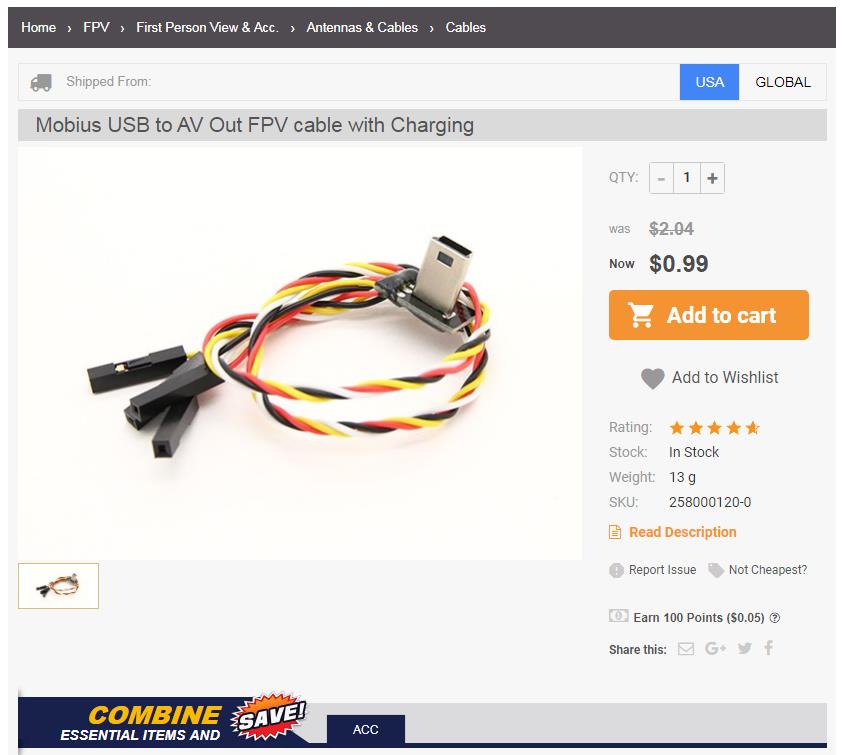
This adapter cable from HobbyKing can be used to access live video from a Mobius camera.
You will need to use a soldering iron or crimp tool to adapt this cable to a transmitter.
Follow these instructions when wiring the adapter cable to the Mobius camera.
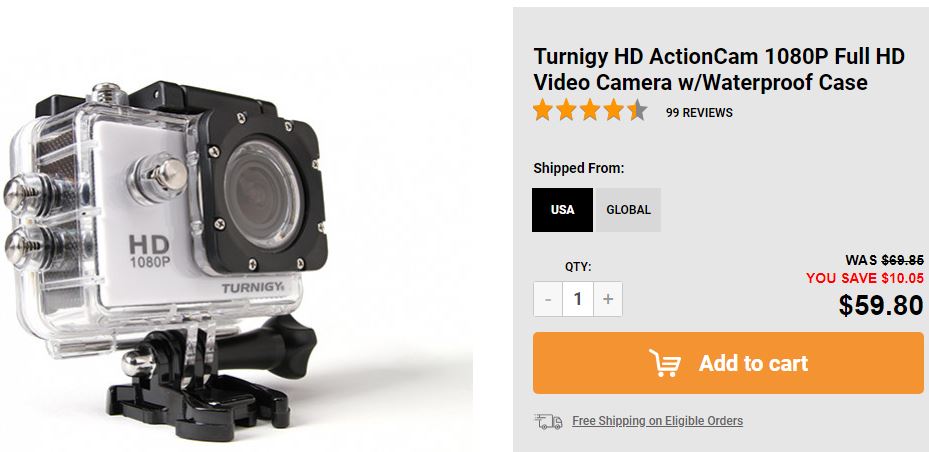
The "Turnigy" brand camera from www.hobbyking.com is another good choice for HD aerial photography.
This camera has the same form-factor as a Go-Pro camera and so is compatible with most camera mounts.
This camera comes with a waterproof case that makes this camera great for snorkling.
The waterproof case is removeable, so remove it before mounting the camera to the drone.
This camera has its own battery and has an SD card slot for recording videos during flight.
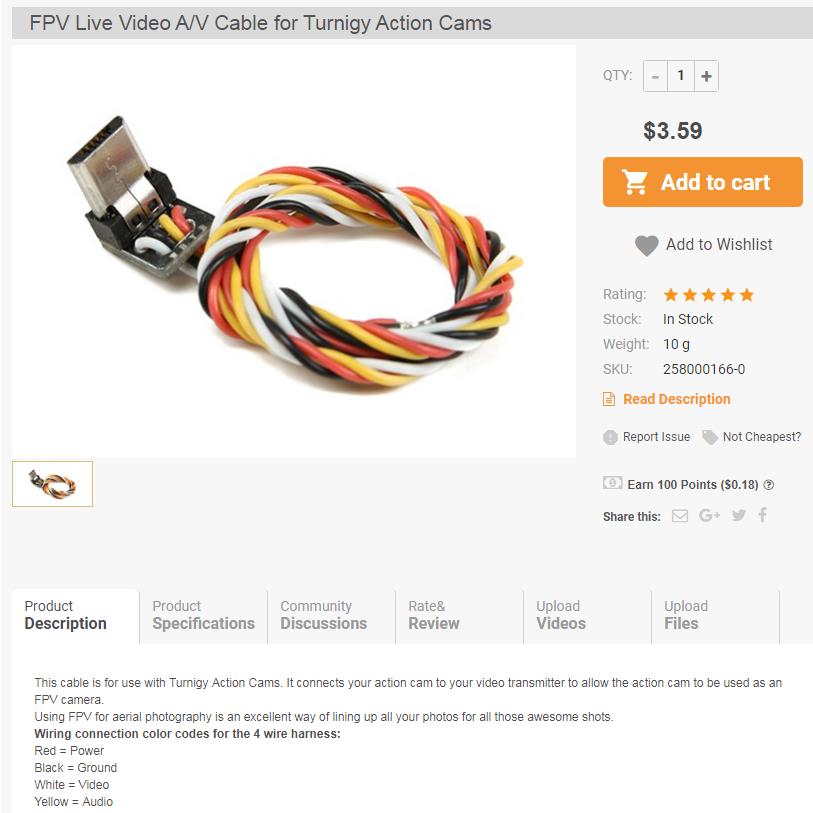
This adapter cable from HobbyKing can be used to access live video from a Turnigy camera.
You will need to use a soldering iron or crimp tool to adapt this cable to a transmitter.
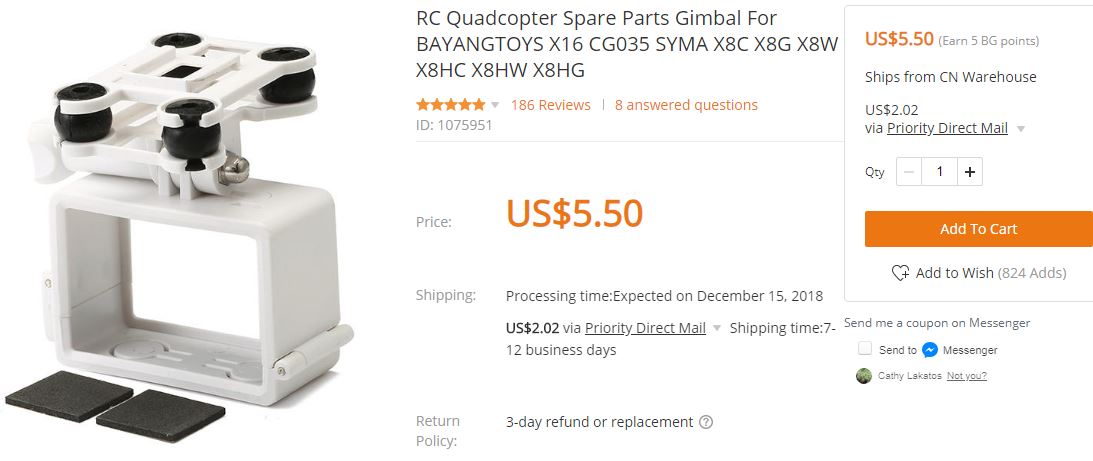
This fixed camera holder from www.banggood.com can be used to mount a camera below the drone.
It has a quick-release mounting latch that is compatible with the Promark drone, Syma X8 drone and Bangyangtoys X16 drone.
Experiment with the rubber shock mounts. They are supposed to steady the camera but sometimes they make the camera shake more.
If necessary, the rubber shock mounts can be removed and the lower bracket can be taped or glued to the upper bracket.
This holder is specifically designed for a Go-Pro, Turnigy or SJ4000 camera but it is useful for the Mobius camera also.
To mount a Mobius camera, remove and discard the black rubber shock mounts and all the parts below it.
Simply strap the Mobius camera to the top bracket with elastic bands.
The top bracket then snaps on to the quick-release latch on the bottom of the drone.
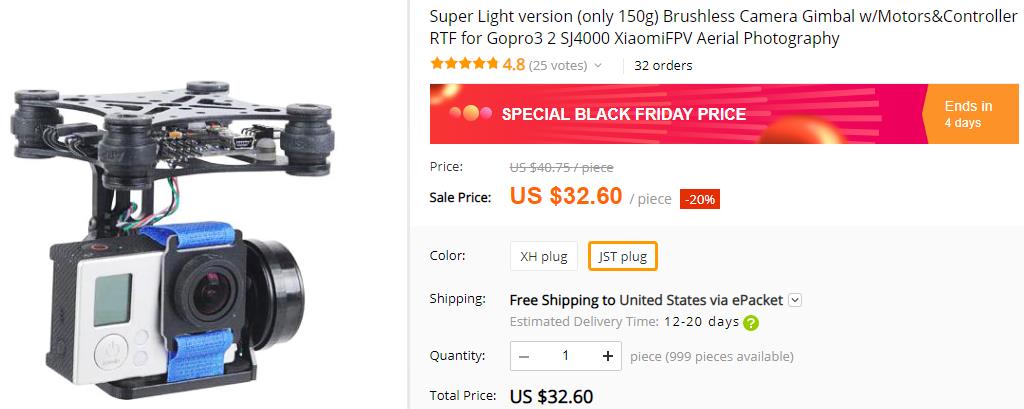
This motorized camera gimbal from AliExpress can be used to stabilize a camera on a drone.
Motorized camera gimbals keep the camera level and reduce jitter in the picture.
This camera gimbal needs 11.1V power from the drone battery or a separate 11.1V LIPO battery.
If the servo is unstable and shakes the camera, try stiffening the 4 rubber shock mounts at the top.
One-inch-long, 1/4-inch diameter wooden dowels can be pushed through the rubber mounts to stiffen them.
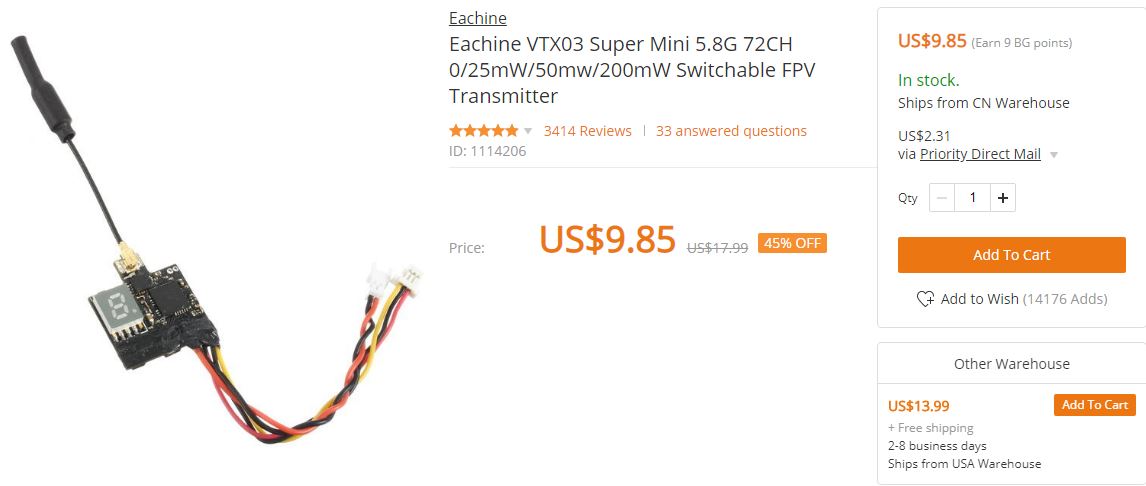
This tiny transmitter from HobbyKing can be used to transmit a VGA NTSC video signal from the cameras above.
You will need to use a soldering iron or crimp tool to adapt this transmitter to a battery and the camera.
This transmitter can be strapped to the drone with elastic bands or tape.
This transmitter needs a receiver such as the one included with the FPV goggles described below.
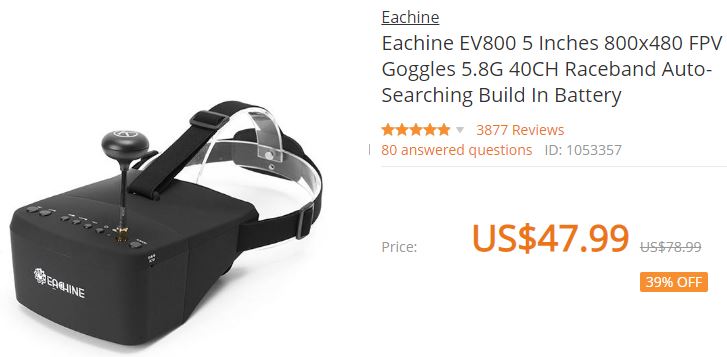
These FPV (First Person Video) goggles from www.banggood.com can be used to receive the video signal from the transmitter above.
If desired, the screen and receiver can be detached from the goggles and then be attached to the transmitter or just held in the hand.
Remember to program the transmitter and receiver so that they are both on the same channel.
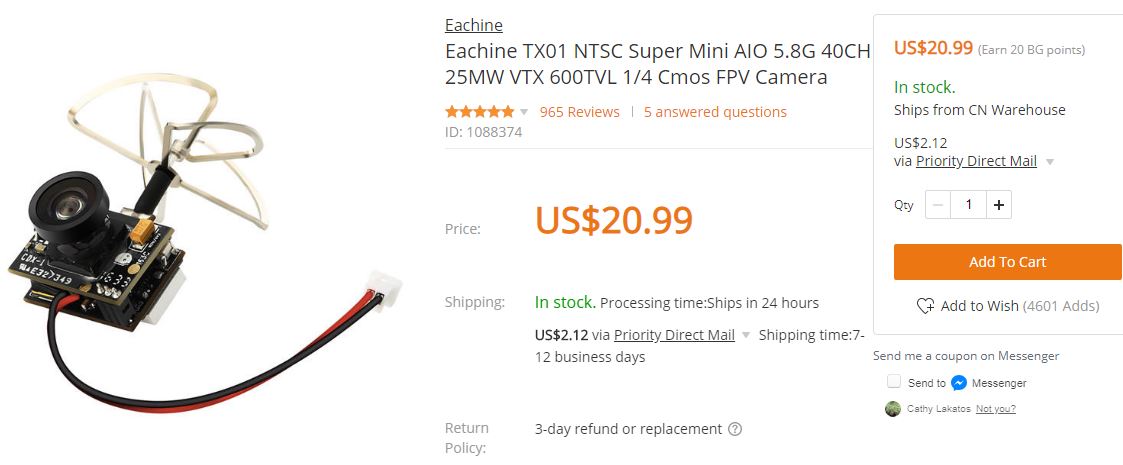
This tiny camera with transmitter from www.banggood.com can send video from smaller drones to the goggles above in 640x480 format.
You can use a soldering iron or crimp tool to adapt this camera to the drone's battery.
The E012 battery shown below has the correct style connector to mate to this camera.
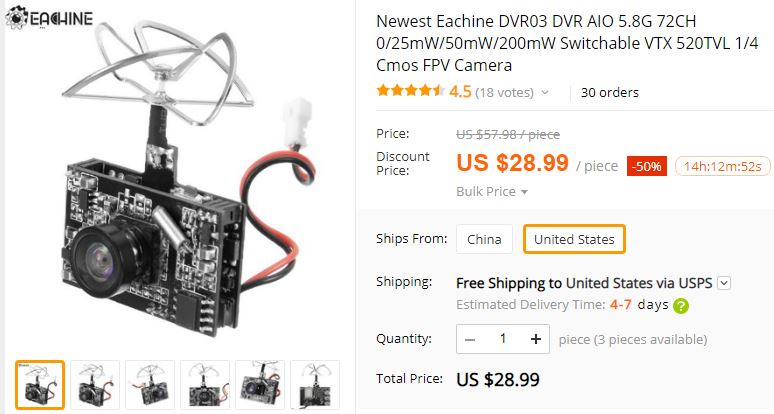
This tiny camera from www.banggood.com has a transmitter and an SD card slot for recording video in 640x480 format.
You can use a soldering iron or crimp tool to adapt this camera to the drone's battery.
The E012 battery shown below has the correct style connector to mate to this camera.
Since this camera records video directly to an SD card, it is useful even without the transmitter and receiver.
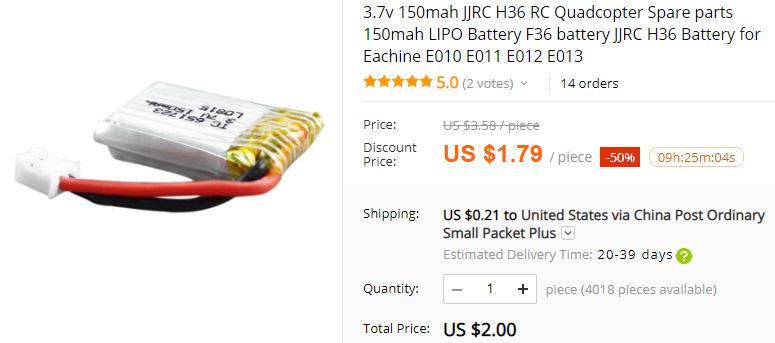
This battery from www.banggood.com has the correct style connector to power the TX01 and DVR03 cameras above.
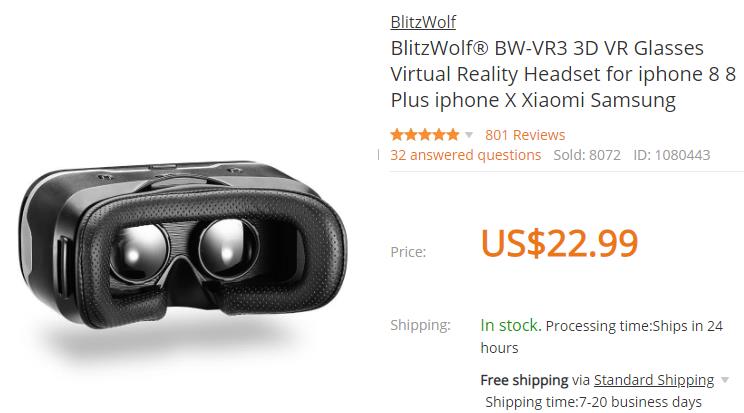
These FPV goggles from www.banggood.com can be used with the E52 WiFi drone above.
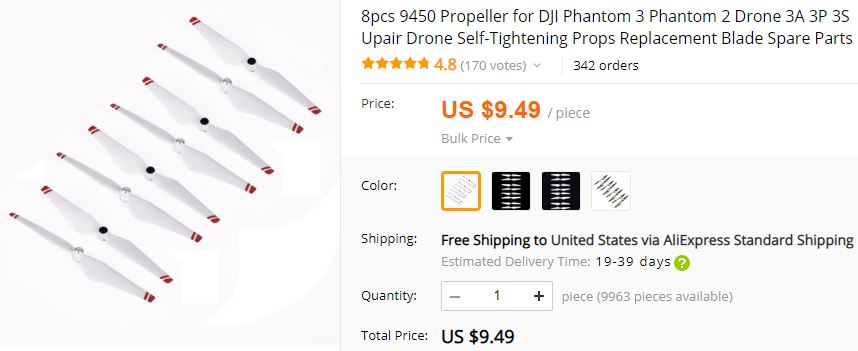
These Phantom Pro Propellers from www.aliexpress.com fit the Bayangtoys X16 GPS Drone.
These propellers perform better than the original equipment propellers and are easier to install & remove.
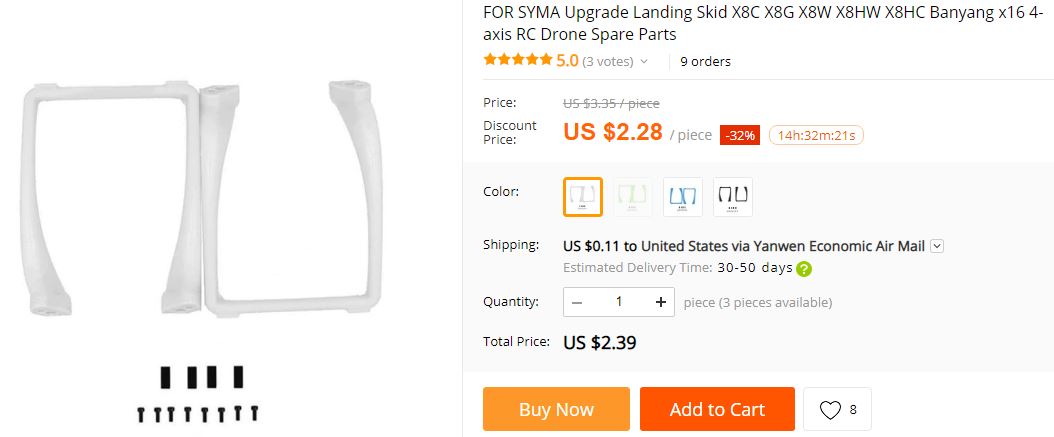
These Upgrade Landing skids can be used for the Bayangtoys X16 GPS Drone.
These skids are longer so that a larger camera and larger gimbal will fit below the drone.